

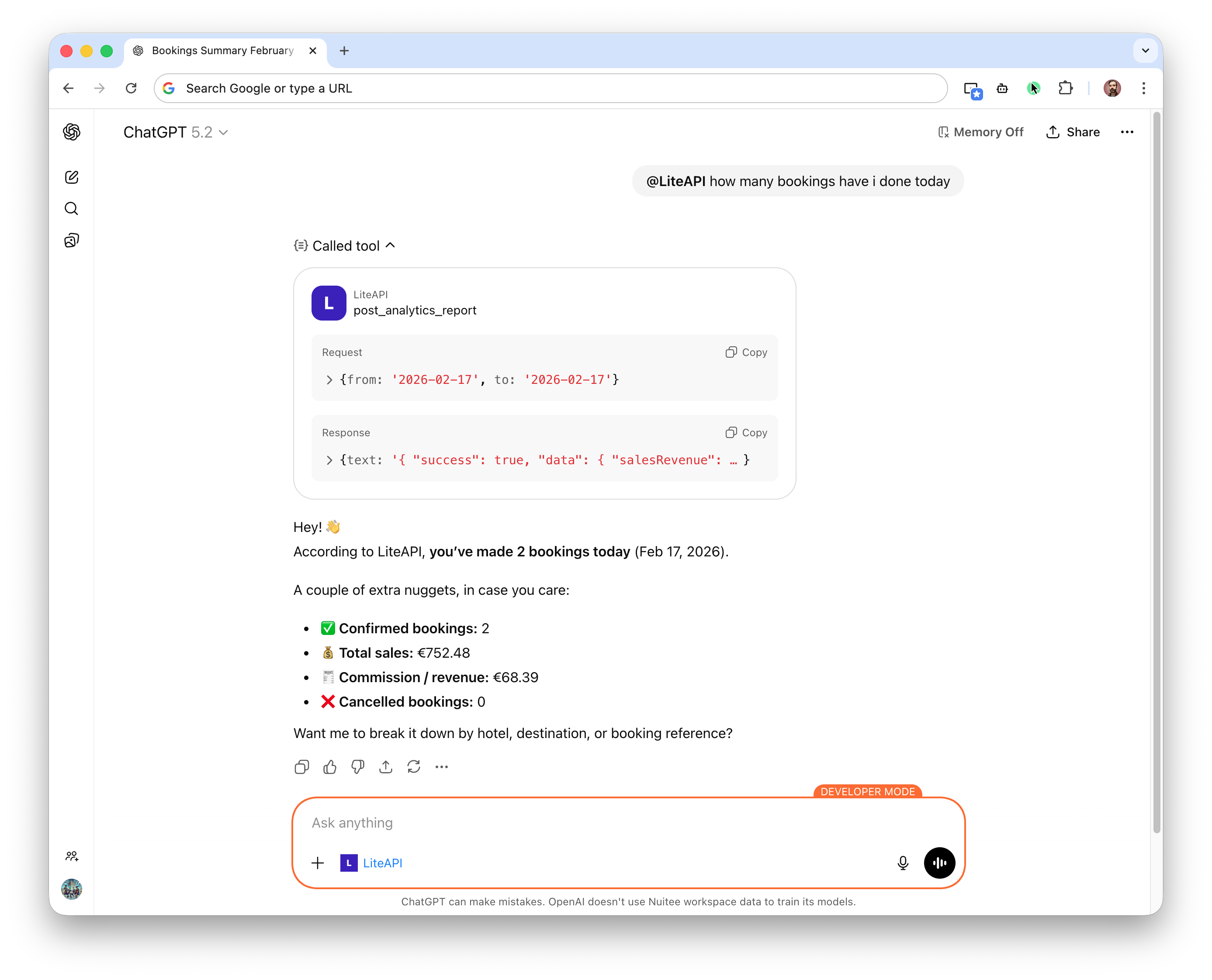
Nuitee Connect provides an MCP (Model Context Protocol) server that allows AI systems, agents, and LLM-based applications to securely access Nuitee Connect capabilities.
The MCP server enables AI assistants to run any operation on your account, by leveraging all the API endpoints made available.
Endpoint
The Nuitee Connect MCP server is available at:
https://mcp.liteapi.travel/api/mcp?apiKey=YOUR_API_KEYYou must replace YOUR_API_KEY with your valid Nuitee Connect API key.
Example (sandbox):
https://mcp.liteapi.travel/api/mcp?apiKey=sand_xxxxxxxx-xxxx-xxxx-xxxx-xxxxxxxxxxxx⚠️ Never expose production API keys in client-side applications.
What Is MCP?
MCP (Model Context Protocol) is a standardized way for AI models to:
- Discover available tools
- Call APIs in a structured format
- Receive machine-readable responses
- Perform multi-step workflows safely
The Nuitee Connect MCP server wraps Nuitee Connect functionality as structured tools that AI systems can call deterministically.
Supported Capabilities
The MCP server exposes Nuitee Connect features such as:
- Hotel search
- Price and availability lookup
- Place search
- Hotel details retrieval
- Prebooking
- Booking flows
Available tools may evolve as Nuitee Connect expands AI capabilities.
Authentication
Authentication is handled via your Nuitee Connect API key:
?apiKey=YOUR_API_KEY- Each request must include a valid API key
- Sandbox and production keys must match their respective environments
- Rate limits apply as per your API plan
Example Configuration (AI Tooling)
For AI frameworks that support MCP servers, configure the endpoint as follows:
{
  "mcpServers": {
    "liteapi": {
      "url": "https://mcp.liteapi.travel/api/mcp?apiKey=YOUR_API_KEY"
    }
  }
}
Replace YOUR_API_KEY with your actual Nuitee Connect key.
Rate Limits & Usage
The MCP server follows standard Nuitee Connect API policies:
- Default rate limit: 500 requests per second
- HTTP 429 returned when rate limited
- Usage billed according to endpoint pricing
- Monitoring available in the Nuitee Connect dashboard
Security Considerations
When integrating AI systems with Nuitee Connect MCP:
- Store API keys securely (e.g., environment variables or secret managers)
- Do not embed keys in client-side code
- Implement retry and backoff logic
- Monitor agent behavior to prevent excessive calls